Cursor's agents can now click and type across your desktop apps
SummaryOn October 23 Cursor added Computer Use to its app: agents can drive any app on your computer, not just a browser, and Cursor's demo shows one testing a feature in the iOS Simulator. The honest caveat: Cursor says the agent can switch it on by itself when a task needs it, and as of launch morning there was no changelog or docs page for the desktop version yet.
· MODEL Editors · 2 min read
Some links may be affiliate links. Disclosure
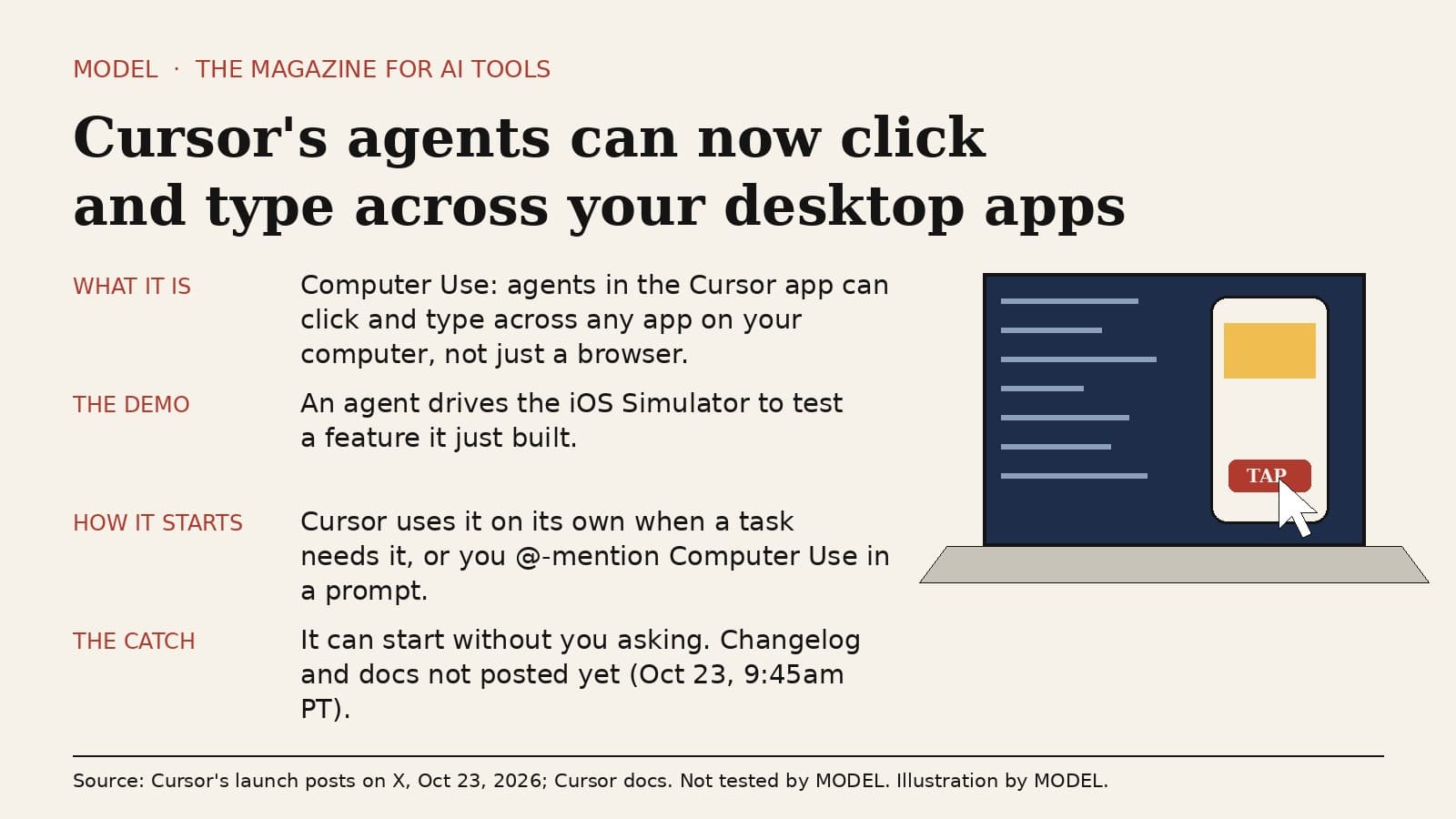
On October 23 Cursor announced that "Cursor can now control your computer." The feature is called Computer Use. In Cursor's words, it "lets agents click and type across any app on your computer, not just the browser." The launch video shows an agent driving the iOS Simulator to test a feature it built.
What it does. Until now, Cursor's agents mostly wrote code, ran commands and, in some setups, used a browser. Computer Use lets an agent work the way you would: look at the screen, click, and type into a desktop app. The point Cursor is making is testing. An agent that builds an iPhone feature can open the simulator, tap through it and check that the feature works before it hands the work back.
How it starts. Cursor says the agent "uses it on its own when a task needs it." You can also ask for it directly by @-mentioning Computer Use in your prompt. To get it, Cursor says to update the app.
This isn't Cursor's first computer use. Cursor's cloud agents already run in their own virtual machines with a full desktop, where they can use a mouse and keyboard, and Cursor's docs describe a --computer-use option for self-hosted workers on macOS and Linux. On a Mac, that self-hosted version needs two macOS permissions, Accessibility and Screen Recording, before clicks and screenshots work. What's new on October 23 is the same idea inside the Cursor app on your own computer. We haven't seen Cursor say whether the desktop version uses the same helper or permissions, so don't assume it does.
Who it's for. Developers building apps with a real interface, especially mobile and desktop apps, who want the agent to prove a change works instead of just saying it does. It's also useful for anyone whose agent keeps getting stuck on a step that only a GUI can do.
The honest caveat. An agent that can click and type in any app on your machine can also click the wrong thing in any app on your machine, and Cursor says it can turn this on by itself when it decides a task needs it. When we checked on the morning of October 23 (about 9:45am PT), Cursor's changelog and docs had no page for the desktop version yet, so details like which operating systems it supports, what permissions it asks for and how to keep it to one app weren't published. Until they are, keep sensitive apps closed while an agent is working, and watch the first few runs.
MODEL has not tested Computer Use in the Cursor app yet. Everything above comes from Cursor's two launch posts on X and Cursor's existing docs, read on October 23. This is not sponsored and has no affiliate links.
Sources
FREE · EVERY WEEK
The top AI tools this week, tested.
Every week MODEL's editors pick the AI tools worth your time, try them hands-on, and tell you what's good, what's not, and who it's for. Free, in your inbox.
Free. Unsubscribe anytime. Our picks are editorial and can't be bought.
The weekly three is editorial. A subscription does not buy a place in it.
Continue
The test
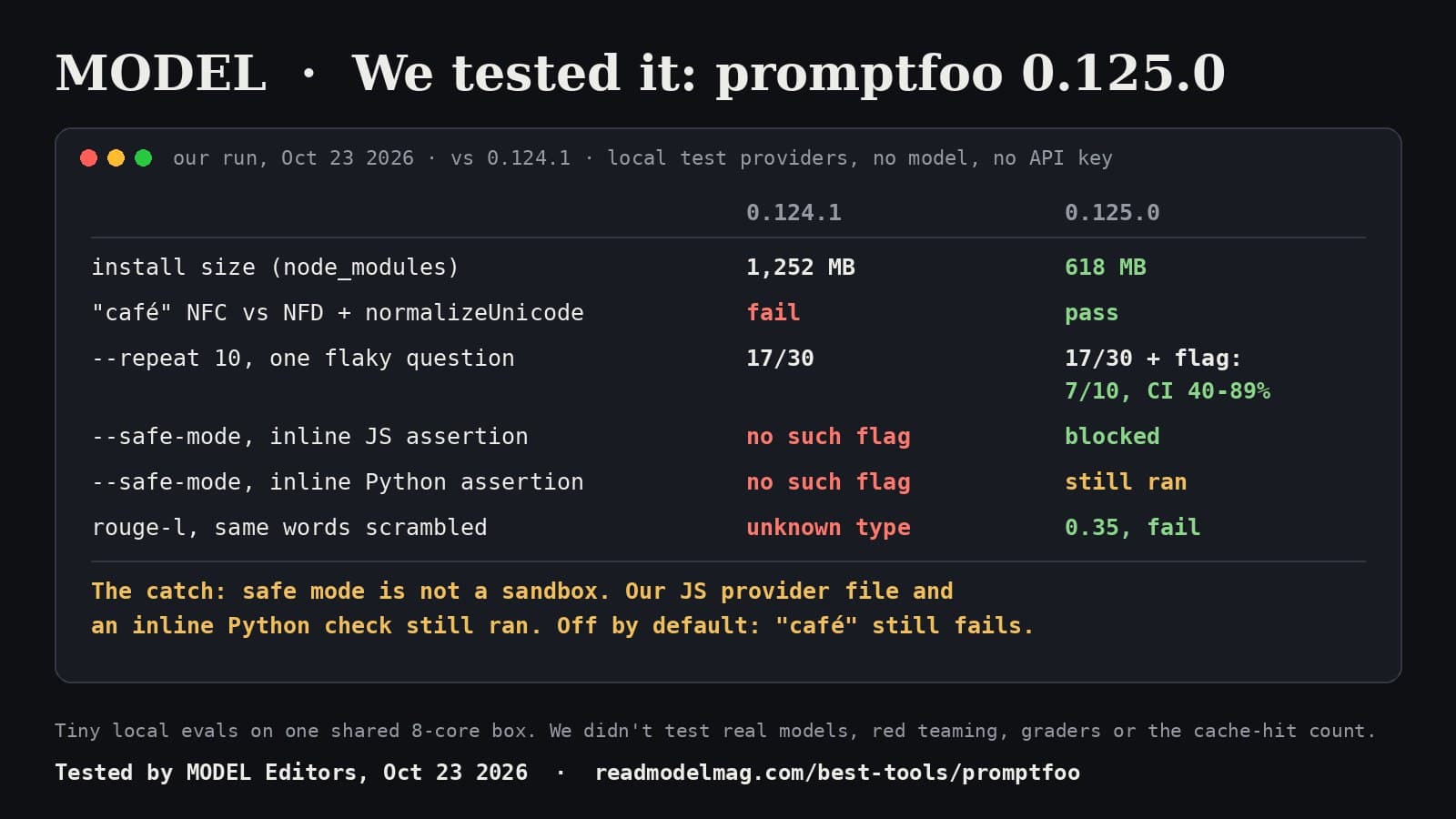
promptfoo 0.125, tested: half the install, and it finally names the flaky test
The open-source tool for testing prompts and AI agents shipped version 0.125.0 this morning. We ran it side by side with the last release, with no AI model and no API key. It installed at half the size, flagged the one question our test bot kept getting wrong, and added a safe mode that is honest about not being a sandbox.
· MODEL Editors
Builder tip
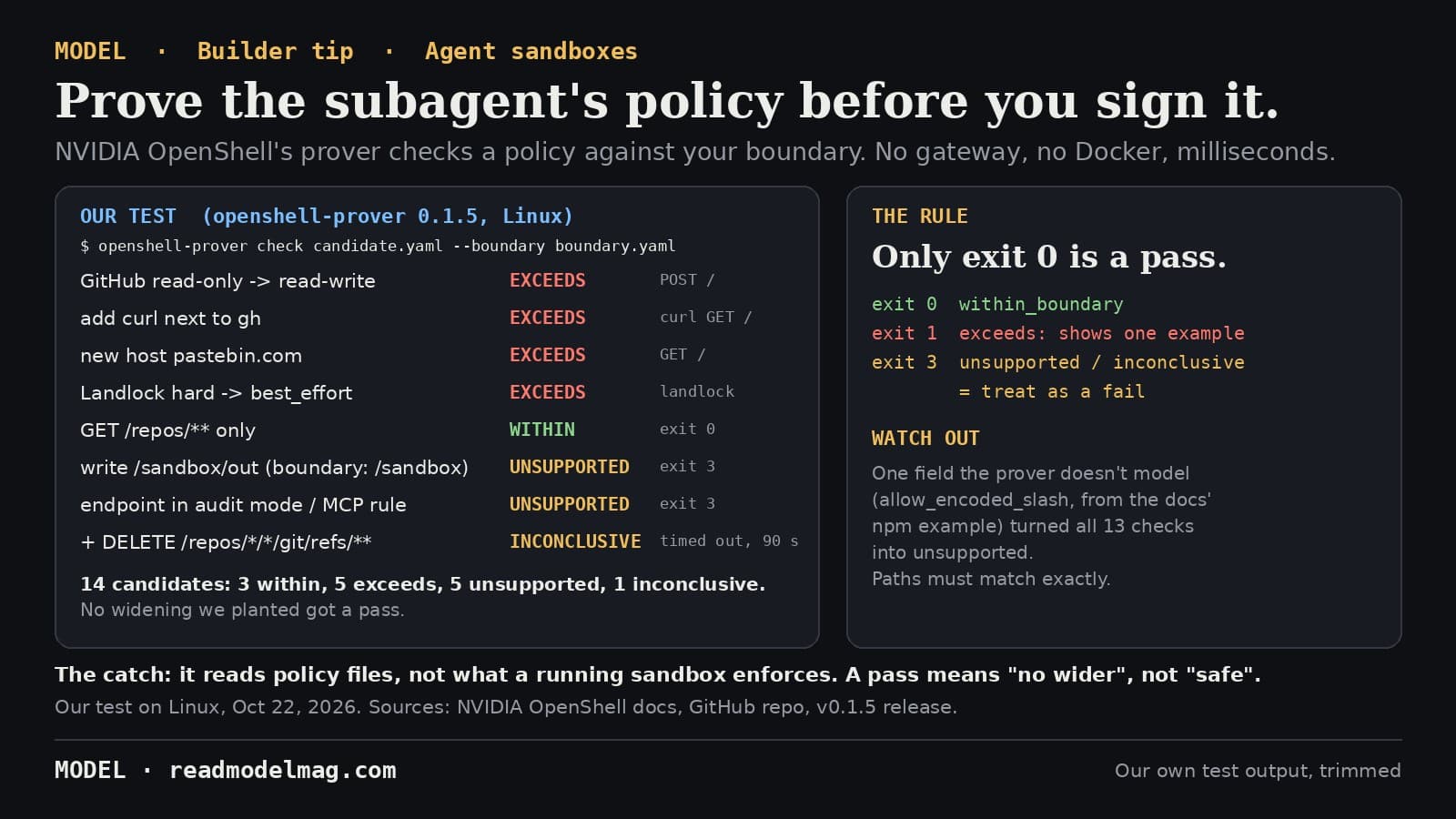
Before you widen your AI agent's sandbox, prove the new policy stays inside your boundary
NVIDIA's OpenShell, on Hacker News' front page today after its GTC Berlin push, ships a standalone policy prover. It checks whether an agent's sandbox policy grants anything your boundary doesn't, with no gateway or Docker needed. We ran 14 checks on it. None of the widenings we planted got a pass, and it taught us one rule: only exit code 0 is a pass.
· MODEL Editors
Tools
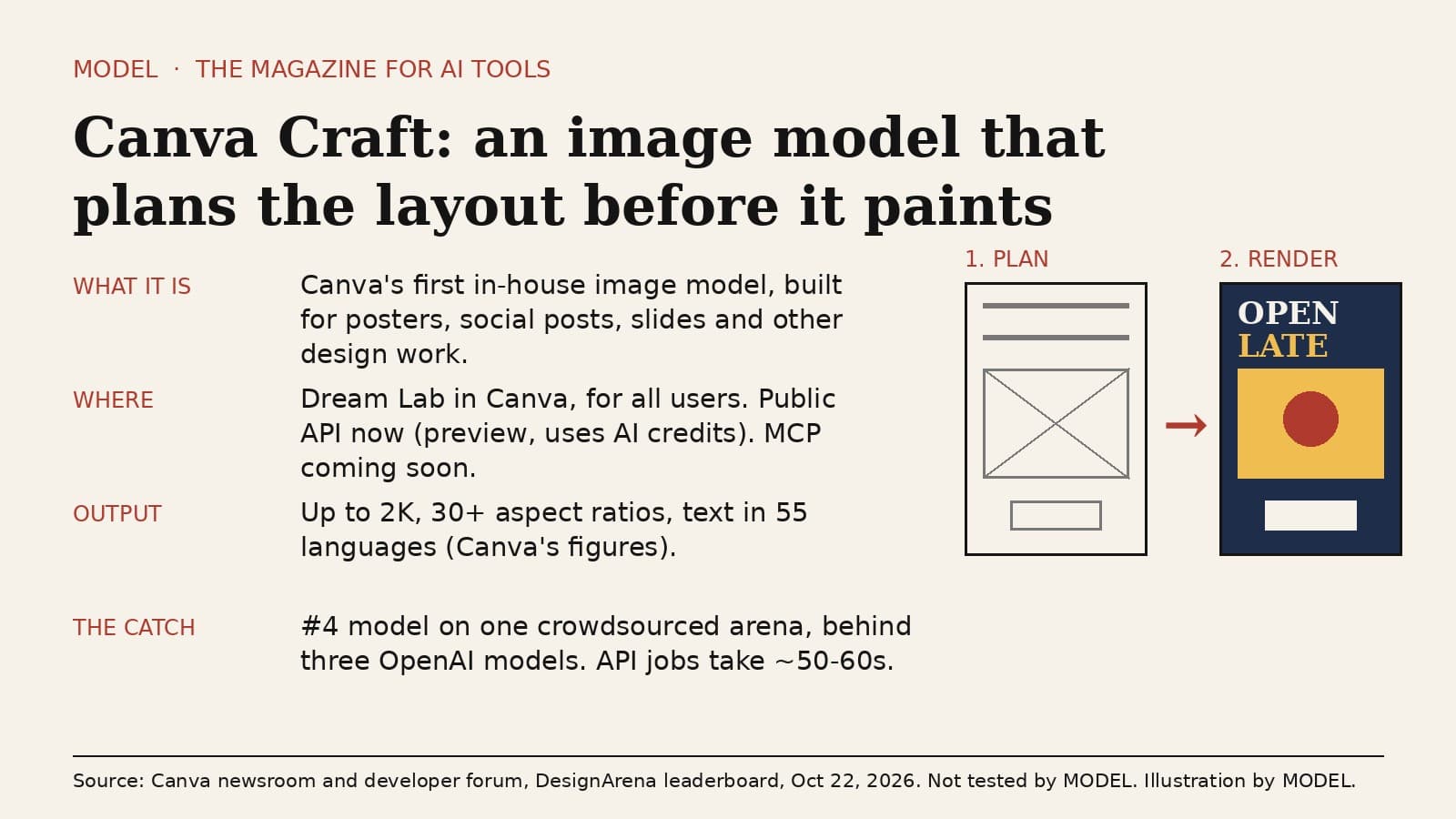
Canva Craft is Canva's own image model, and it plans the layout before it renders
Canva launched Craft on October 22, its first image model trained in-house. It's built for posters, social posts and slides rather than photos alone, it's in Dream Lab for every Canva user and on the public API, and it debuted fourth on DesignArena's image leaderboard. The honest caveat: that ranking is one crowdsourced preference arena, and MODEL hasn't tested it yet.
· MODEL Editors