Ideogram Vector 1.0 turns a prompt or an image into an SVG you can actually edit
SummaryIdeogram launched its first vector model on October 22: describe a logo, wordmark or illustration and get back a clean SVG with editable colors, shapes and gradients, or upload a raster image and convert it. It's live in the Ideogram app and on the API. The honest caveat: the vectorizer can't group shapes into layers yet.
· MODEL Editors · 2 min read
Some links may be affiliate links. Disclosure
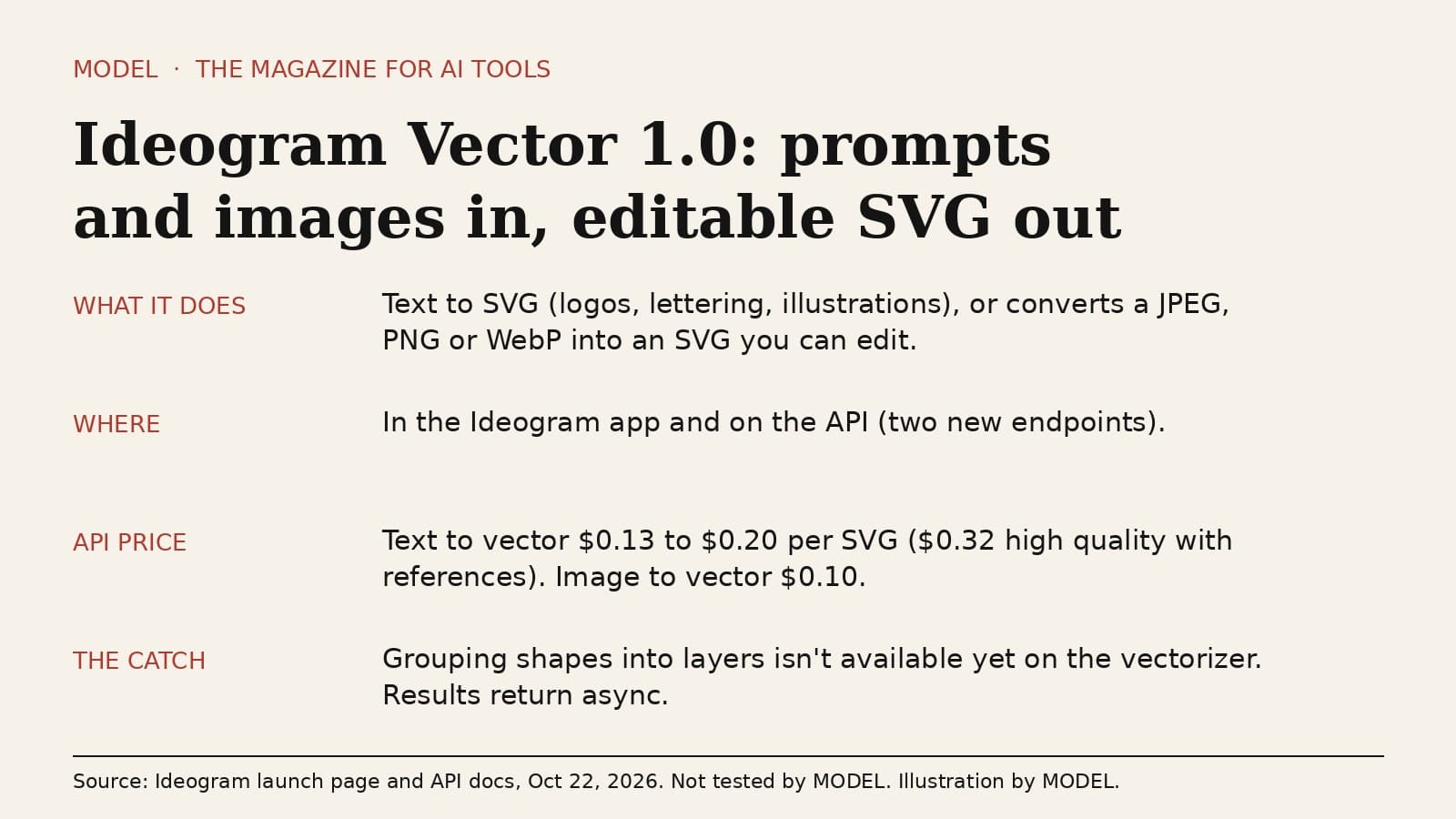
On October 22 Ideogram introduced Ideogram Vector 1.0, its first vector model. Most AI image tools hand you pixels. This one hands you an SVG: a file made of shapes and paths that stays sharp at any size and that you can open and change in Illustrator, Figma or code.
What it does. There are two ways in. You can describe a design in a prompt, such as a logo, a wordmark, hand lettering, a label or a flat illustration, and get back an SVG. Or you can upload an existing image and convert it into vectors. Ideogram says every result is a single clean SVG with editable colors, shapes and smooth gradients, and that if you swap the palette, the gradients follow. It shows styles from engraving and pop art to flat color and line art. Ideogram leans on its history here: it says it "was first at spelling correct text in AI images," and pitches Vector as bringing that typography to SVG.
Where and how much. Ideogram says it's live in the Ideogram app, on the API and on partner platforms. The API adds two endpoints, one that generates SVGs from a prompt plus optional reference images, and a vectorizer that converts a JPEG, PNG or WebP (up to 50 MB). Both run asynchronously: you get a generation ID back and fetch the result later, or have it sent to a webhook. Ideogram's listed API prices per SVG are $0.13 at low quality, $0.16 at medium and $0.20 at high for text to vector, rising to $0.32 at high quality when you add references. Converting an image costs $0.10. Both endpoints also take a dry-run flag that prices a request without running it, which is handy before a big batch.
Who it's for. Designers, small brands and merch makers who need a logo, sticker or print file they can resize and recolor, and developers who want SVG assets from code instead of tracing PNGs by hand.
The honest caveat. The vectorizer's docs say the option to group shapes into layers "is not yet available," so expect a flat pile of shapes you may need to organize yourself in a complex piece. Ideogram's own help pages also say that ordinary Ideogram images are still raster files and that writing "vector" in a normal prompt doesn't turn one into vector paths. And as with any AI logo, check the result for trademark conflicts before you put it on a product.
MODEL has not tested Ideogram Vector hands-on yet. Everything above comes from Ideogram's launch page, API reference and announcement thread, read on October 22. This is not sponsored and has no affiliate links.
Sources
- Ideogram Vector launch page with API pricing (Oct 22, 2026)
Ideogram
- API reference: Generate SVG
Ideogram
- API reference: Vectorizer
Ideogram
- Announcement thread
Ideogram on X
FREE · EVERY WEEK
The top AI tools this week, tested.
Every week MODEL's editors pick the AI tools worth your time, try them hands-on, and tell you what's good, what's not, and who it's for. Free, in your inbox.
Free. Unsubscribe anytime. Our picks are editorial and can't be bought.
The weekly three is editorial. A subscription does not buy a place in it.
Continue
The test
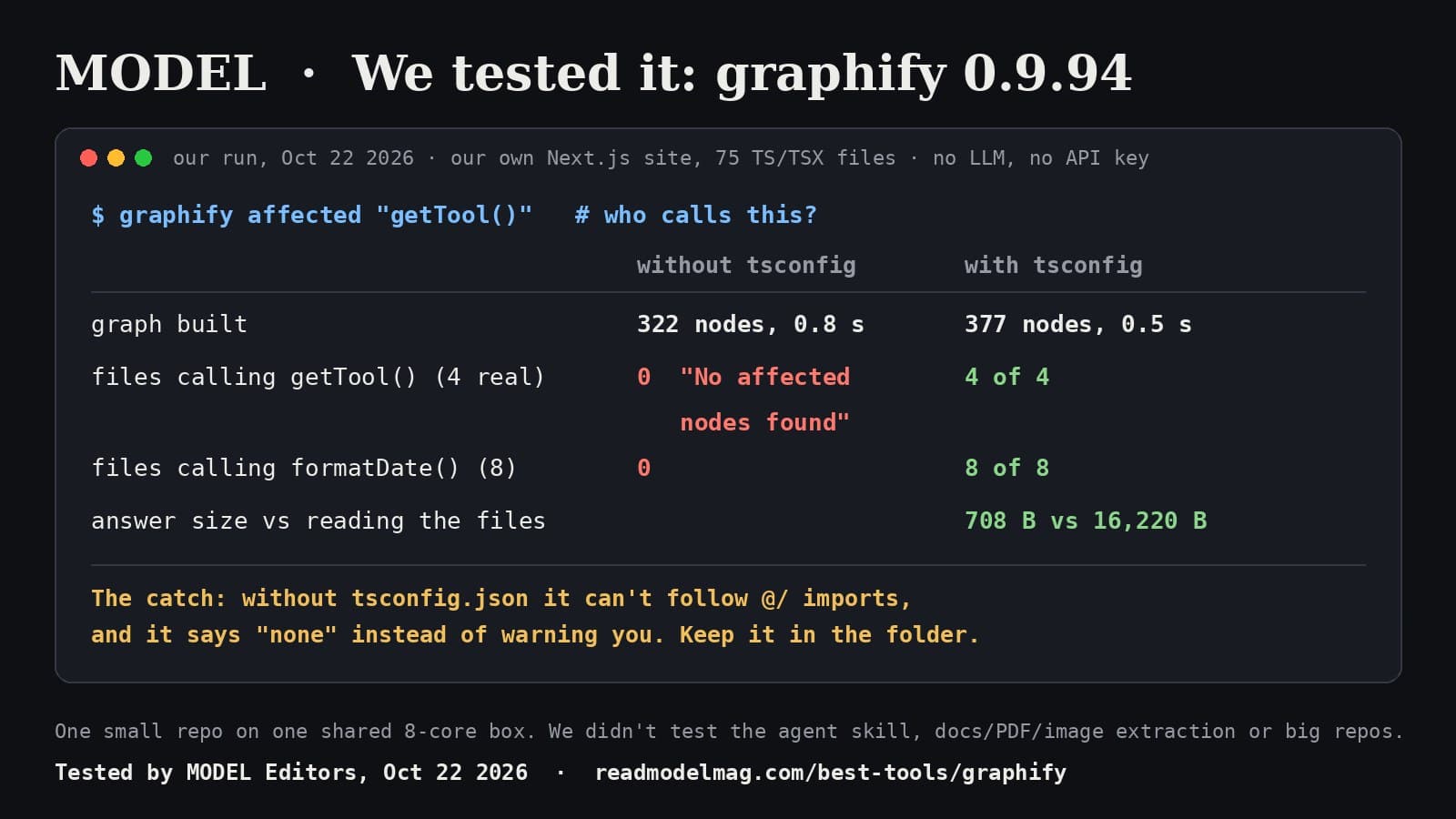
graphify, tested: it found every caller, once we gave it the tsconfig
The open-source tool that turns a codebase into a graph your coding agent can query shipped version 0.9.94 this morning. On our own Next.js site it mapped 75 files in half a second with no AI model and no key, and found every file that calls a function. Without our tsconfig.json it found none, and said so as if that were the answer.
· MODEL Editors
Builder tip
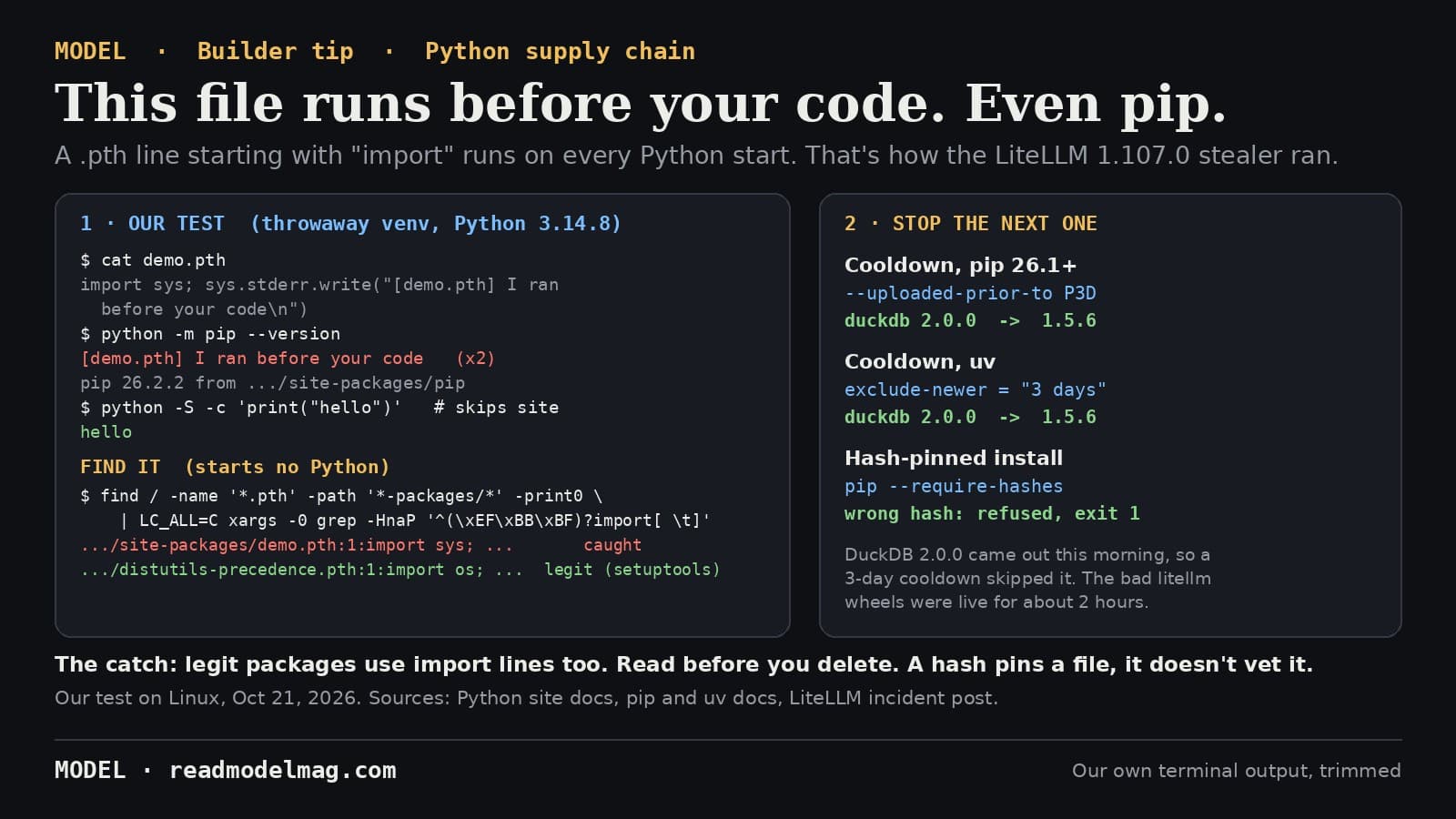
How to check your Python environment for a malicious .pth file, and dodge the next poisoned release
Today's LiteLLM 1.107.0 stealer ran from a .pth file, which Python executes on every start, even when you only run pip. Here is a one-line check that starts no Python, a harmless demo we ran ourselves, and two install settings that would have kept that release off your machine.
· MODEL Editors
Tools
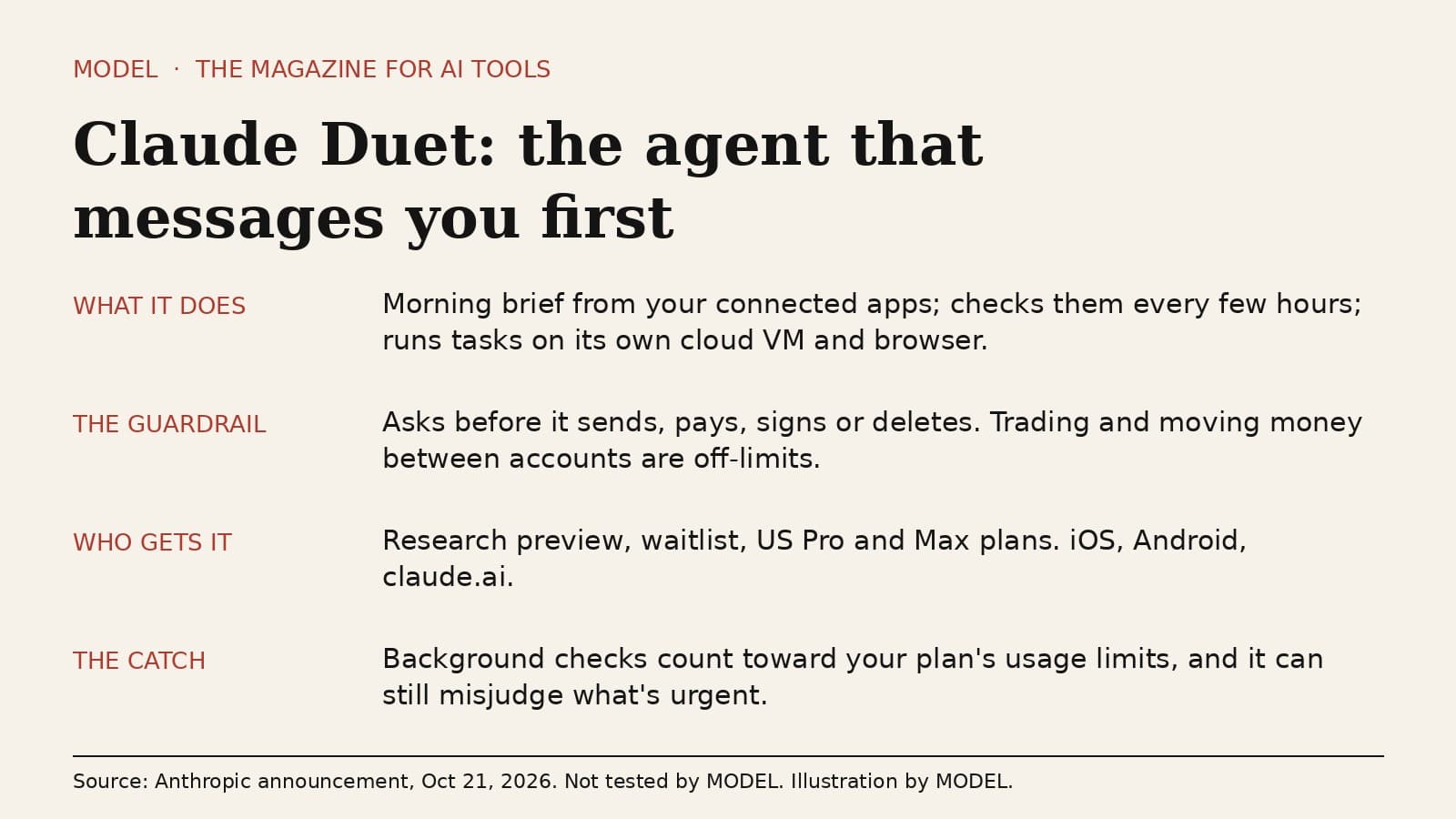
Claude Duet is an agent that messages you first. Watch the usage meter.
Anthropic opened a waitlist research preview of Claude Duet, a separate app where Claude sends a morning brief, checks your connected apps every few hours and runs tasks on its own cloud computer. It asks before it sends, pays, signs or deletes. The honest caveat: those background checks spend the same usage limits as the rest of your Claude plan.
· MODEL Editors