OpenCode Browse lets your coding agent drive your real browser
SummaryNov 6, 2026: OpenCode shipped Browse, an MCP server plus Chromium extension that lets agents use your real browser with your tabs, logins and extensions, and hands the tab back to you for logins, 2FA and payments. Not tested by MODEL.
· MODEL Editors · 1 min read
Some links may be affiliate links. Disclosure
OpenCode has shipped Browse, which it describes as "an MCP server and a Chromium extension that let your agents use your real browser, with your tabs, your logins and your extensions." OpenCode announced it on X on Nov 6, 2026 (evening, PT), and co-founder Dax (@thdxr) listed it among the team's ships for the week on Nov 7.
What it does. Agents open and drive tabs with Playwright, take screenshots and record the screen. Agent tabs open in the background, in collapsed tab groups, out of your way. When a step needs you, such as a login, a 2FA prompt or a payment, the agent hands the tab back and continues once you click Continue. You can also lend a tab you already have open via the toolbar button. Captures include screenshots, screen recordings and network traffic as a HAR file. Allowlists limit a session's tabs to the sites you name. Per @thdxr, the agent and the browsers can run on different machines.
Who it's for. Developers who want an agent to test their app, fill forms or check a flow in a browser that is already signed in. OpenCode lists support for Chrome, Edge, Brave, Arc, Helium, Vivaldi, Opera and Chromium, and says it works with any MCP client, naming OpenCode, Claude Code, Cursor, Codex and Zed. Install starts from the Chrome Web Store extension; a CLI installer (curl, PowerShell, npm or bun) also exists. Source: github.com/anomalyco/browse.
Caveats. "All your logins" cuts both ways: an agent in your signed-in profile can reach whatever you can, and a malicious page inside an allowed site can still try to steer it (prompt injection). Use allowlists, consider a separate low-privilege browser profile, and keep irreversible actions in your own hands. Firefox and Safari are not listed. The Chrome Web Store listing showed version 0.0.10 (updated Nov 6, 2026), so this is early software. MODEL has not tested Browse.
Disclosure: Not sponsored. No affiliate links. Not tested by MODEL.
MODEL Editors
Sources
- Browse
OpenCode (opencode.ai)
- browse (Chrome Web Store listing)
Chrome Web Store
- OpenCode Browse is now available
@opencode on X
- Past week ships (hex, browse, rune and more)
@thdxr on X
Keep reading
Tool Update
Qoduck: Qoder's free daily allowance on a stealth model for individual International users
Nov 7, 2026 (Singapore Time UTC+8): Qoder gives individual Qoder International users a daily free allowance on Qoduck — a stealth model whose identity is not disclosed. Within the allowance Credit rate drops 0.5x to 0.0x; Teams/Enterprise ineligible; desktop International only. Not tested by MODEL.
· MODEL Editors
TOOLS
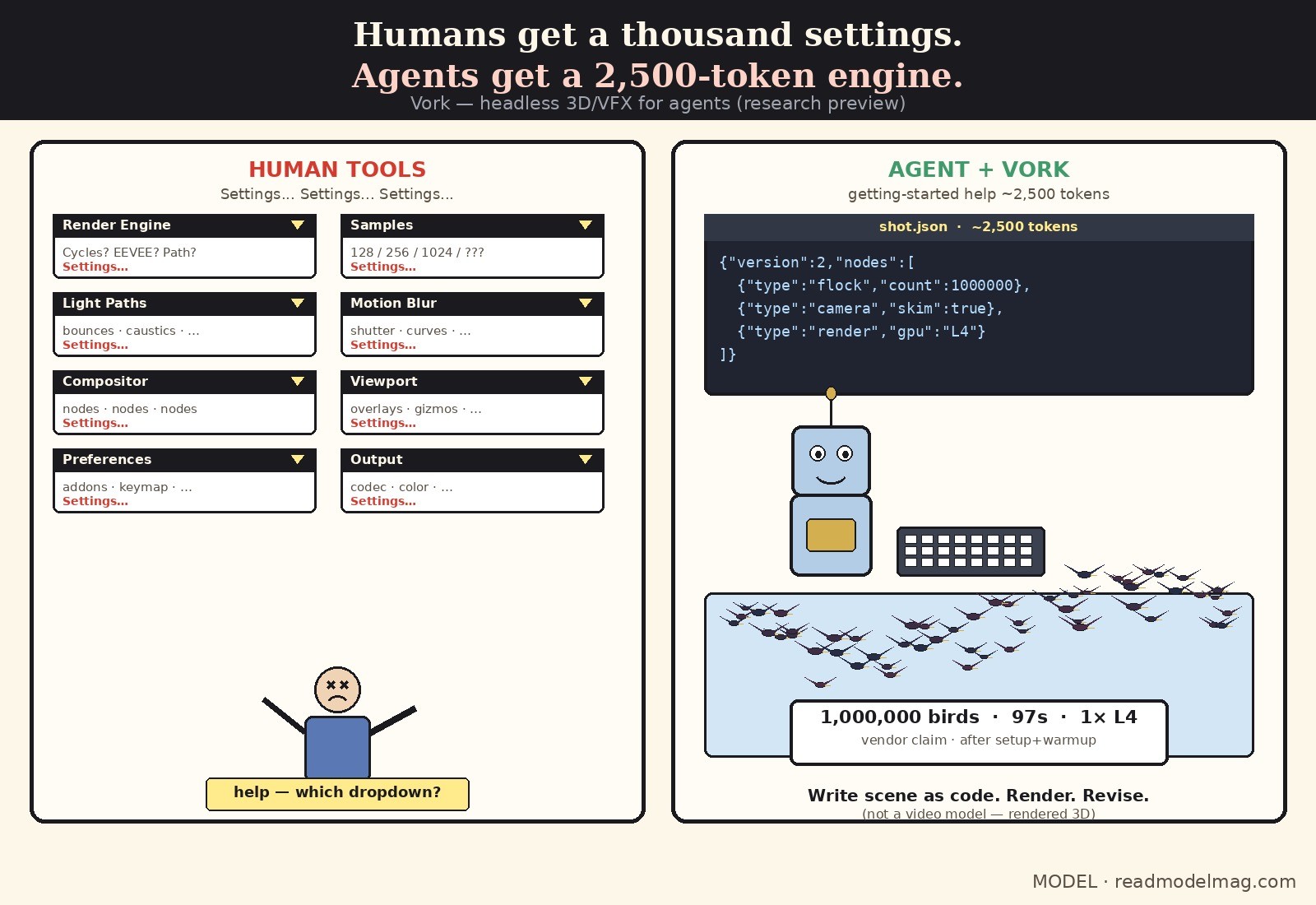
Vork: a headless 3D/VFX engine built for AI agents
Nov 6, 2026: Ravi Parikh / Voyager ships Vork research preview — agents write scenes as code (Rust + Slang; Vulkan/Metal). Getting-started help ~2,500 tokens. Vendor demo: 1M self-steering birds simulated+rendered in 97s on one NVIDIA L4 (after setup/warmup).
· MODEL Editors
Tool Update
Claude Code cloud environments: save deps, network, and API keys for the next session
On Pro, Max, Ultra (and Team / Enterprise premium or Chat+Code seats), Claude figures out dependencies, network access, and API keys for a cloud session, then saves the environment. Network secrets stay outside the VM — Anthropic's agent proxy attaches them after the request leaves. Paid tiers only; not tested by MODEL.
· MODEL Editors
FREE · EVERY WEEK
The top AI tools this week, tested.
Every week MODEL's editors pick the AI tools worth your time, try them hands-on, and tell you what's good, what's not, and who it's for. Free, in your inbox.
Free. Unsubscribe anytime. Our picks are editorial and can't be bought.