The MacBook Touch Bar finally has a job: watching Claude Code
SummaryA free hobby app puts a tiny pixel Claude on old MacBook Pro Touch Bars to show what Claude Code is doing. Clips of Claude on the Touch Bar are going around X this weekend, three years after Apple dropped the strip.
· MODEL Editors · 2 min read
Some links may be affiliate links. Disclosure
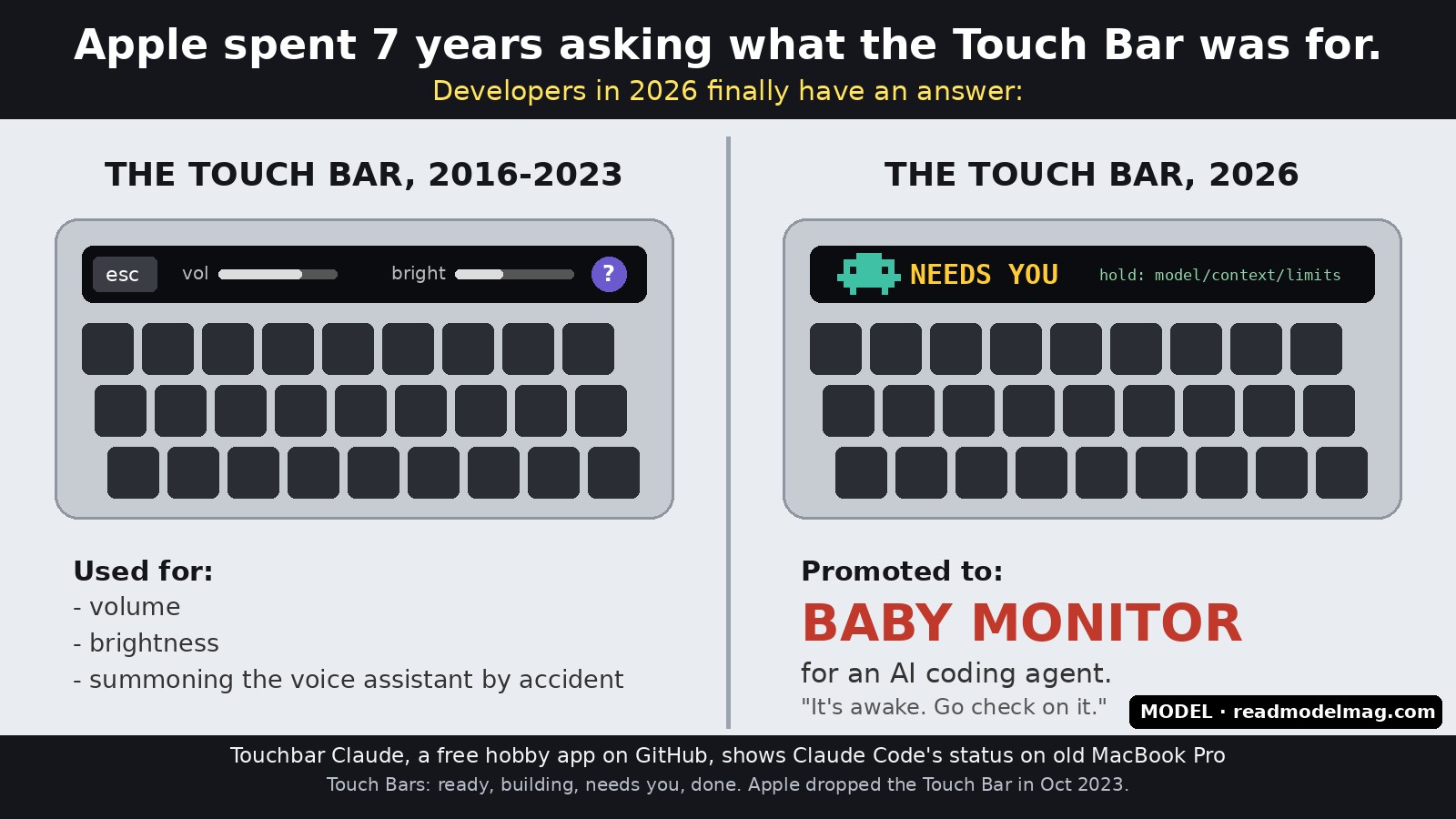
Apple spent seven years trying to explain the Touch Bar. Developers just found a use for it: a baby monitor for their AI coding agent.
What it is. Touchbar Claude is a small free Mac app on GitHub from developer nokzon. It puts a little pixel Claude on the Touch Bar of an older MacBook Pro and changes its animation based on what Claude Code is doing. The README lists four states: ready, building, needs you and done. Tap the mascot to jump back to your Claude session. Hold it to see the model, how much context is used and your usage limits. An install script builds the app and sets up the Claude Code hooks.
Why people are joking about it. A short video of Claude on a Touch Bar, posted on X on Nov. 28 with the caption "the touch bar was useless for 7 years / then someone put claude on it / apple gave up too early," passed 350,000 views and 6,900 likes by Saturday afternoon. Replies range from "APPLE PLEASE BRING BACK THE TOUCH BAR. CLAUDE NEEDS A HOME" to people who just want their volume slider back.
The Touch Bar, briefly. Apple added the Touch Bar to the MacBook Pro in October 2016 in place of the function keys. It dropped the strip from the redesigned 14-inch and 16-inch MacBook Pros in 2021, and when the 13-inch MacBook Pro was discontinued on Oct. 30, 2023, the Touch Bar was gone from every new Mac, as MacRumors, The Verge and 9to5Mac all reported. So the app only helps if you still have one of those older machines.
The useful part. The "needs you" state is the real feature. Coding agents often stop and wait for a permission prompt while you are in another window. A status light you can see without switching apps solves a real annoyance, even if it lives on hardware Apple gave up on.
Before you install. It is a hobby project, not an Anthropic or Apple product, and the repo does not list a license. It installs hooks into your Claude Code setup, so read the scripts first.
The joke. The Touch Bar was never useless. It was just waiting for something that needed babysitting.
Not tested by MODEL. Not sponsored. App details checked against the GitHub README and Touch Bar history checked against MacRumors, The Verge and 9to5Mac on Nov. 28, 2026.
Get three tested tools every Friday
Free, weekly. Unsubscribe anytime.
Sources
- nokzon/touchbar-claude: A tiny pixel Claude on your MacBook Touch Bar that shows what Claude Code is doing
GitHub (repo created Nov. 20, 2026)
- Touch Bar Fully Discontinued on New MacBooks After Seven Years
MacRumors (Oct. 31, 2023)
- Apple's new M3 MacBook Pro marks the end of the Touch Bar
The Verge (Oct. 30, 2023)
- Apple just killed off the last Mac with a Touch Bar
9to5Mac (Oct. 30, 2023)
- "the touch bar was useless for 7 years / then someone put claude on it"
@punyakrit_22 on X (Nov. 28, 2026)
Keep reading
Kandinsky ImageSR 2.0
Kandinsky ImageSR 2.0 is a free, MIT-licensed AI upscaler, and Hugging Face's product head is a fan
Kandinsky Lab's new model cleans up images at their original size or upscales them 2x or 4x, with a 0-8 creativity dial. It is free under the MIT license with a demo on Hugging Face, but local runs are built for an Nvidia GPU. Not tested by MODEL.
· MODEL Editors
Google Antigravity
Google Antigravity now lets you pick which model plans and which one builds
Orchestrator Settings in the Antigravity App pair a planner (Gemini 4 Neon, Carbon, Argon or Claude Opus 5.5) with an executor (Gemini 4 Hydrogen or Claude Sonnet 5.5). Pro and Ultra only. Not tested by MODEL.
· MODEL Editors
Builder tip
Not urgent? Pay half: move evals and backfills to batch APIs
OpenAI, Anthropic and Google all sell the same tokens at 50% off if you can wait for the answer. Here are the limits, the windows and the catches to plan for.
· MODEL Editors
unkernel
unkernel puts a real Linux kernel in a browser tab, and Vercel's CEO calls it unreal
unkernel compiles the Linux kernel itself to WebAssembly and runs unmodified Arm64 Alpine and Debian programs in a tab, with a shell, apt or apk, and a disk that survives reloads. It is an early 0.x project, and CPU-heavy work is well behind native. Not tested by MODEL.
· MODEL Editors
FREE · EVERY WEEK
The top AI tools this week, tested.
Every week MODEL's editors pick the AI tools worth your time, try them hands-on, and tell you what's good, what's not, and who it's for. Free, in your inbox.
Free. Unsubscribe anytime. Our picks are editorial and can't be bought.